Origins
The baseline is the CircuitBread tutorial Musical Microcontroller - Part 8 (PIC10F200) . The article explains how to toggle a GPIO pin at audio frequencies using precise delay loops, how note timing is derived from period counts, and why limited flash means a melody must reuse a small set of notes. It also highlights using `XORWF` to toggle GP2 efficiently and `SLEEP` for low-power idle.
Media
Demo video (compressed).
Music source
I wanted a holiday-themed build, so I picked Hedwig's Theme. I referenced the sheet music at MusicNotes and translated the notes into the PIC assembly sequence.
Implementation highlights (PIC10F200)
- Note durations are defined as `quarter_note`, `half_note`, and `dotted_half_note` units.
- `NOTE_BODY` toggles GP2 at the note frequency and alternates LEDs via `TOGGLE_LED`.
- Each note stub sets `d1c`, `d2c`, and `unitc` for timing precision, then jumps to `NOTE_BODY`.
- Tempo is controlled by `UNIT_PERIODS` and the per-note period count.
ESP32 port comparison
PIC10F200 assembly
- Hand-tuned delay loops per note (`d1`, `d2`, `unitc`).
- GPIO toggled in a tight loop for square-wave audio.
- Durations defined by repeating period blocks.
ESP32 implementation
- Table-driven `Step` list with frequency (Hz) and duration (ms).
- LEDC hardware tone generation for stable pitch.
- Articulation via a small `GAP_MS` between notes.
Source: ESP32_HarryPotter/ESP32_HarryPotter.ino
Physical build
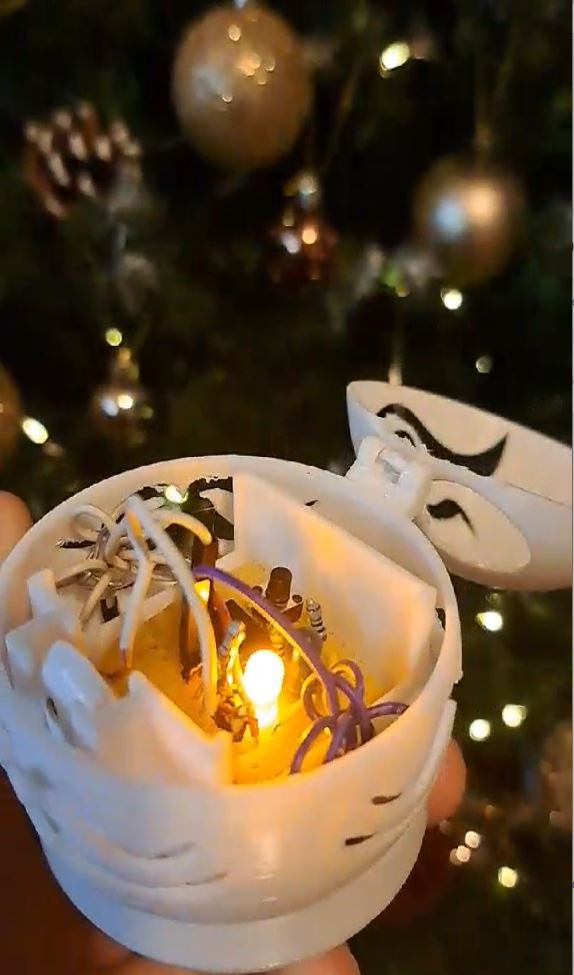
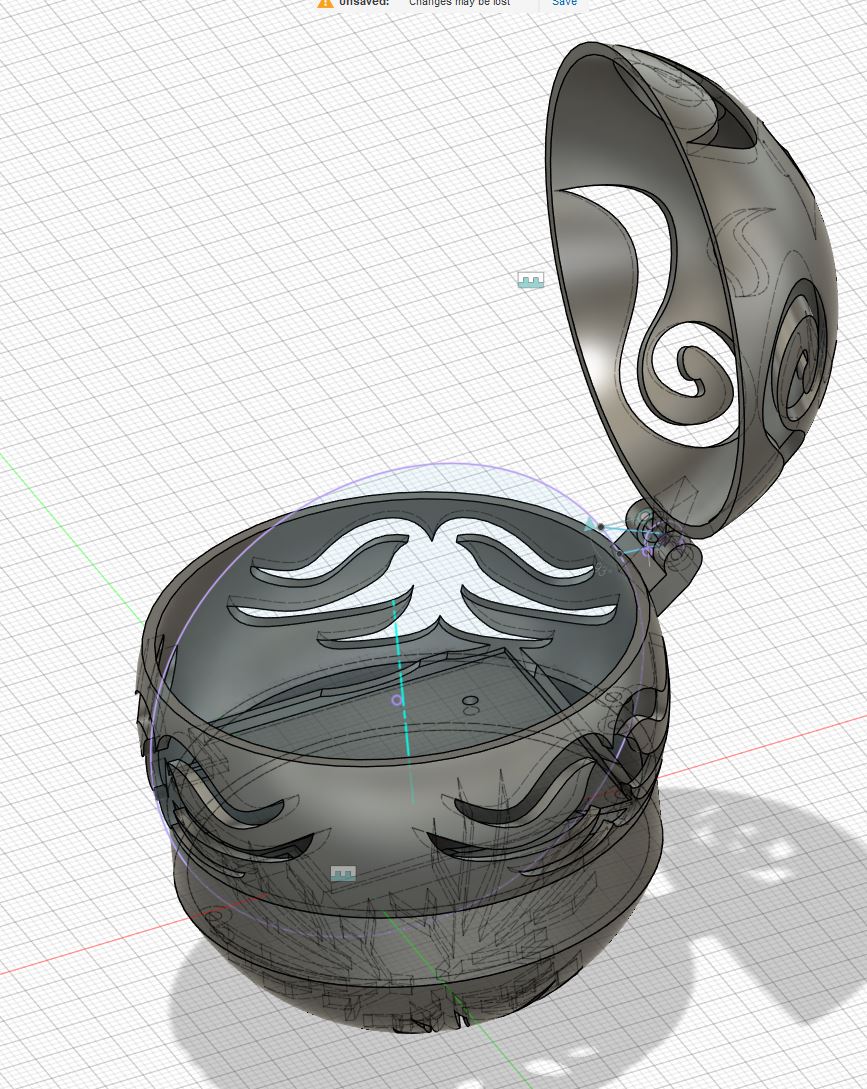
The circuit lives inside a 3D-printed globe ornament. I cut a tiny speaker from a headset,
wired it to the PIC10F200 output pin through a resistor, and powered it with a small battery.
The model file is board+case.f3d.
Notes
This folder also contains a simple web piano used for quick square-wave note checks. It is based on a basic tutorial example and wasn’t central to the final build.